
Version 0.1 · Windows, macOS and Linux
Your AI creative studio,
on your own computer
Video, image, audio, documents and presentations in a single app. Use your AI accounts or local models, with no accounts and no internet.
Free · No sign-up · Buy me a coffee ☕
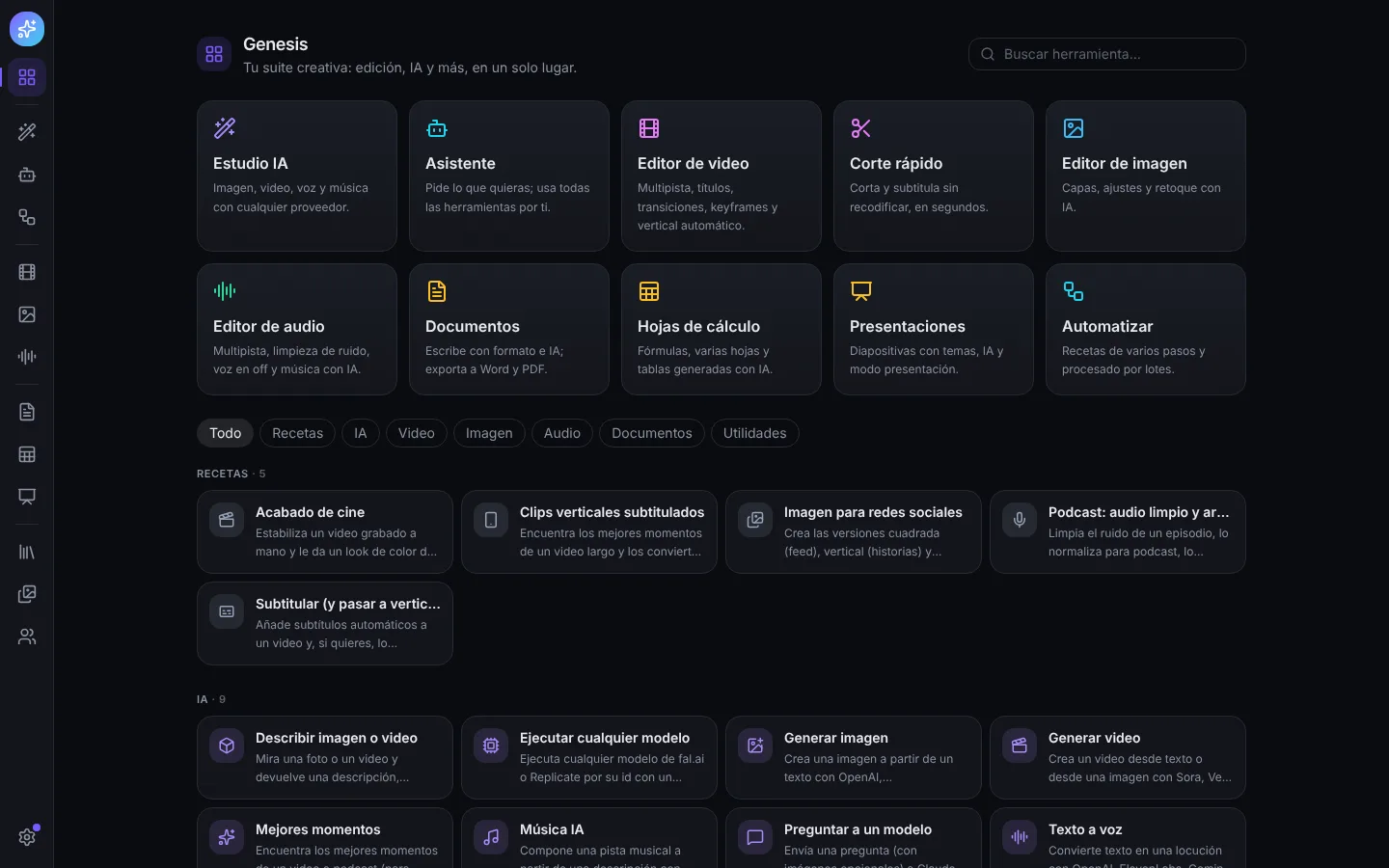
Everything in one app
The tools of a creative studio, connected to each other and to the AI you prefer.
Video editor
Multitrack with transitions, keyframes, titles, cinematic color, green screen, stabilization and automatic vertical.
AI Studio
Image, video, voice and music with OpenAI, Gemini, ElevenLabs, fal and more, or with no account on your own computer.
Local AI
Text, images, video, music, voices and subtitles without internet, accelerated by your graphics card.
Office
Documents, spreadsheets and presentations that export to Word, Excel, PowerPoint and PDF.
Library
Find any file by what it shows, says or contains, in your own words.
Collaborate
End-to-end encrypted spaces, editing together and review from your phone.
Automate
Recipes that chain tools and process whole folders in batches.
MCP and plugins
Claude, ChatGPT or Cursor can use Genesis's tools; extend it with plugins.
Genesis is free, with no ads and no sign-up
I develop it independently. If you want it to keep growing, you can support it with a coffee: every contribution helps pay for the hours and the testing on Windows, macOS and Linux.
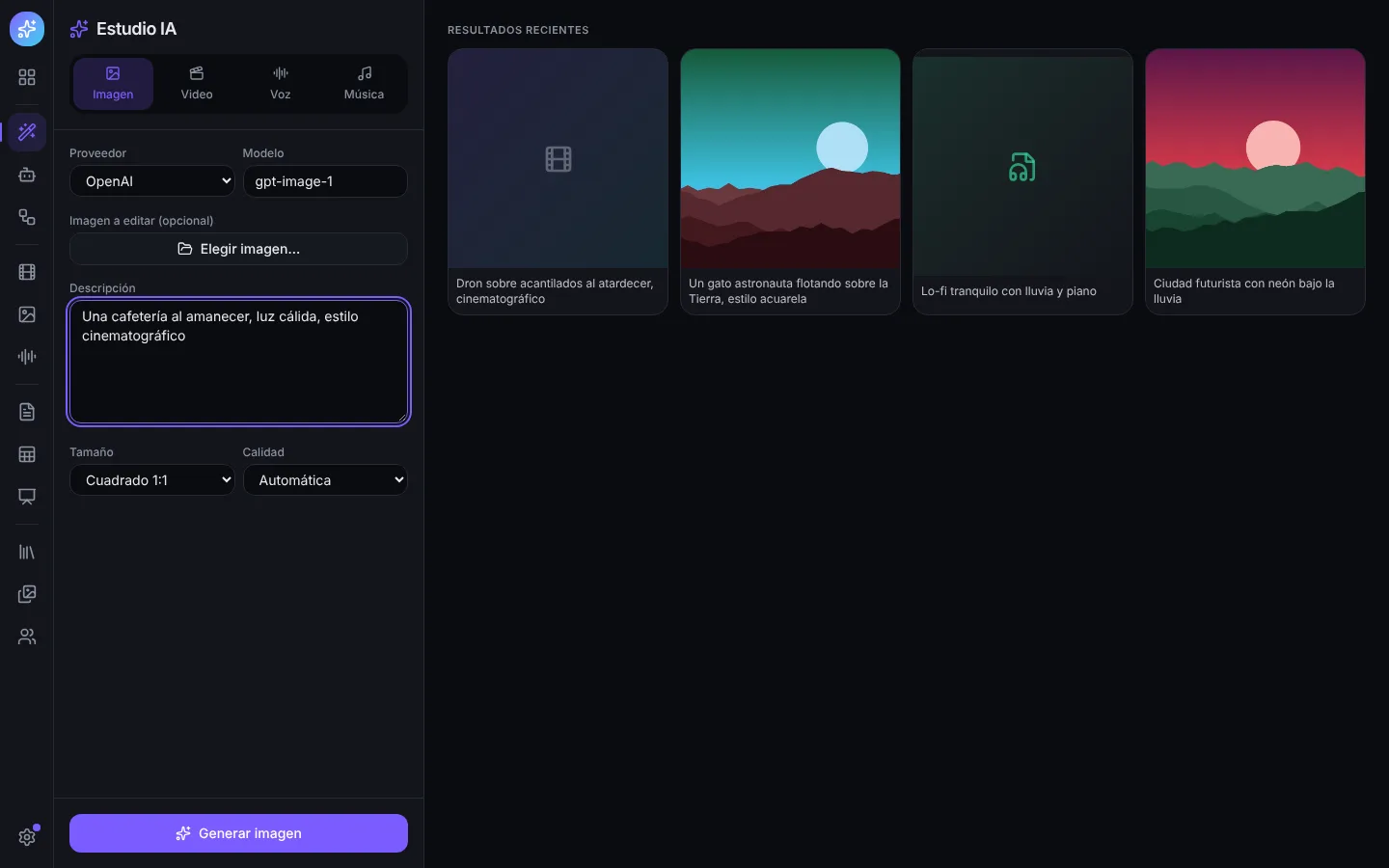
AI Studio
Generate with the provider you want
Images, video, voice and music with your OpenAI, Gemini, ElevenLabs, fal, Replicate, Runway or Luma accounts. Everything stays in the gallery, ready to take to the editor.
Local AI
No accounts, no internet, no pay-per-use
Download a model and Genesis uses it on its own: text, images, video, music, voices and subtitles on your computer. The effort slider adapts it to your machine.
Available models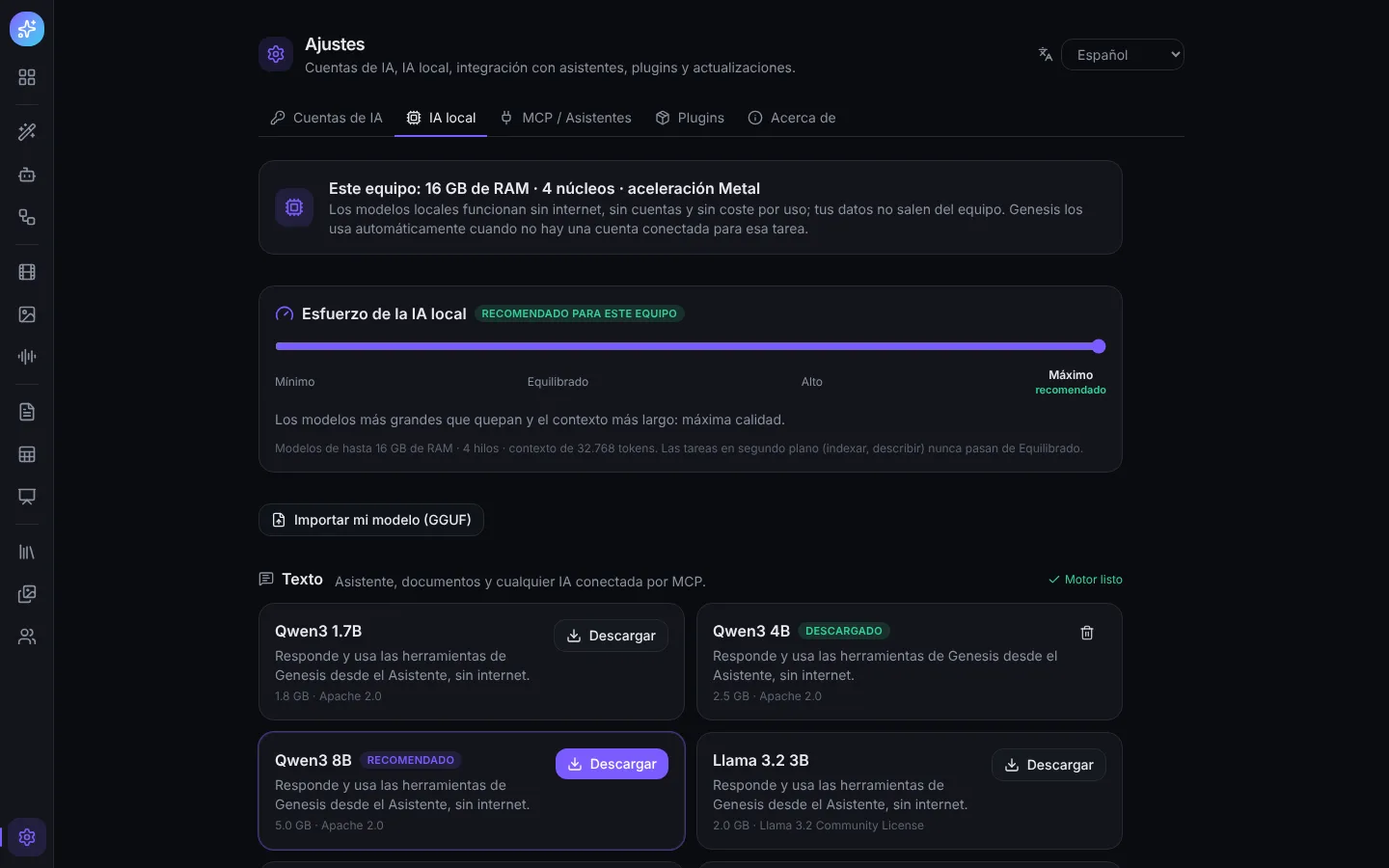
Download Genesis
Choose your system: the download starts right away.
Option 1 · Direct download
Option 2 · With a command
Downloads the latest version and installs it for you.
macOS and Linux · Terminal
curl -fsSL https://genesis-app-amber.vercel.app/install.sh | shWindows · PowerShell
irm https://genesis-app-amber.vercel.app/install.ps1 | iexInstall at your own risk. Genesis is an independent project and its installers don't carry a commercial publisher certificate: Windows will show SmartScreen (More info → Run anyway) and macOS will ask you to Open Anyway the first time. Only download from here.